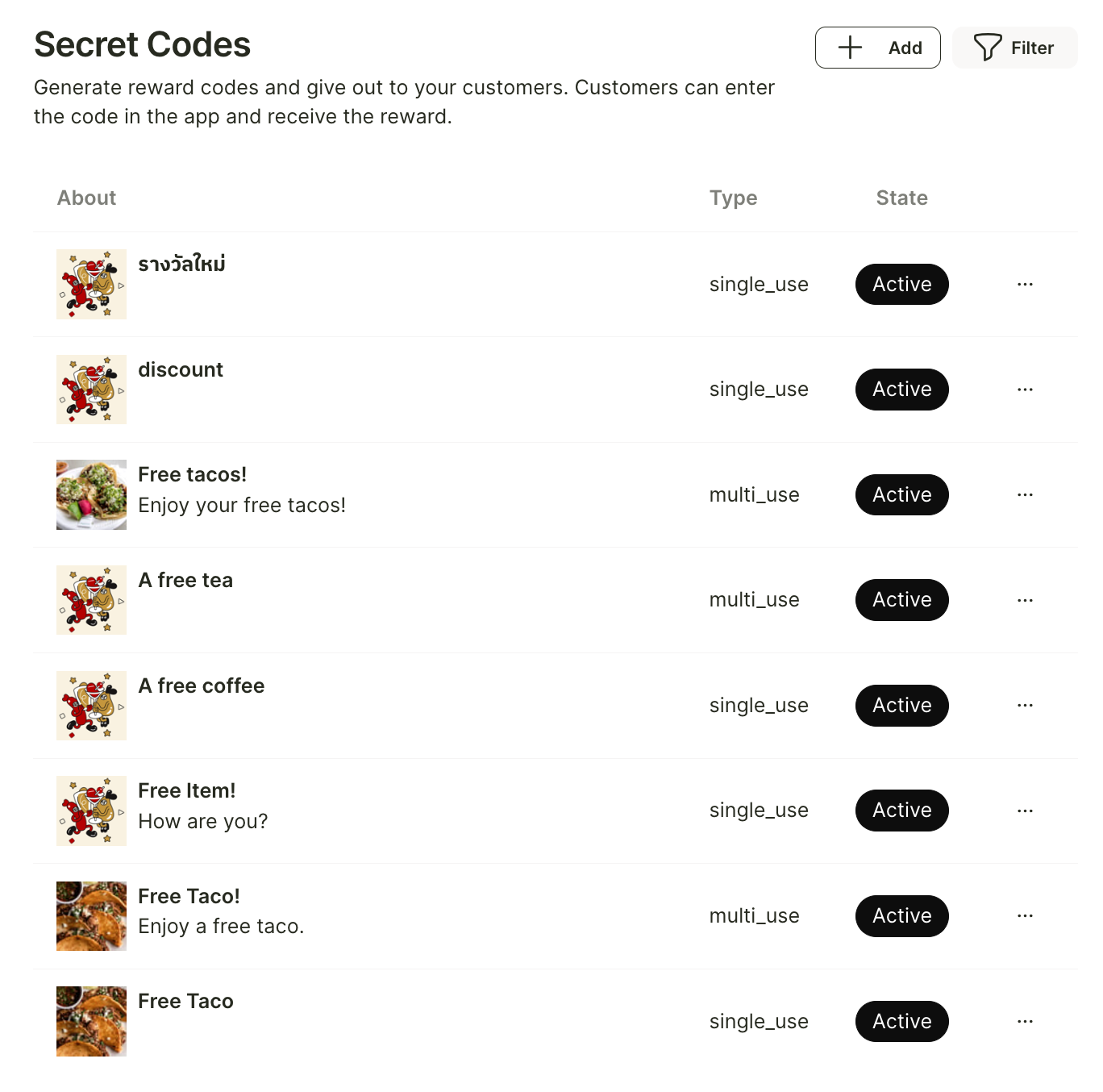
Secret promos
Create promo codes you can hand out anywhere and let customers redeem them for rewards or points.
If your shop would like to create a code to distribute to customers through social media, email, or other marketing channels—so that customers can redeem the code on the Reggu app when they purchase food or dine at your shop—you can do so in the “Secret Codes” menu.
Then click the “+ Add” button.
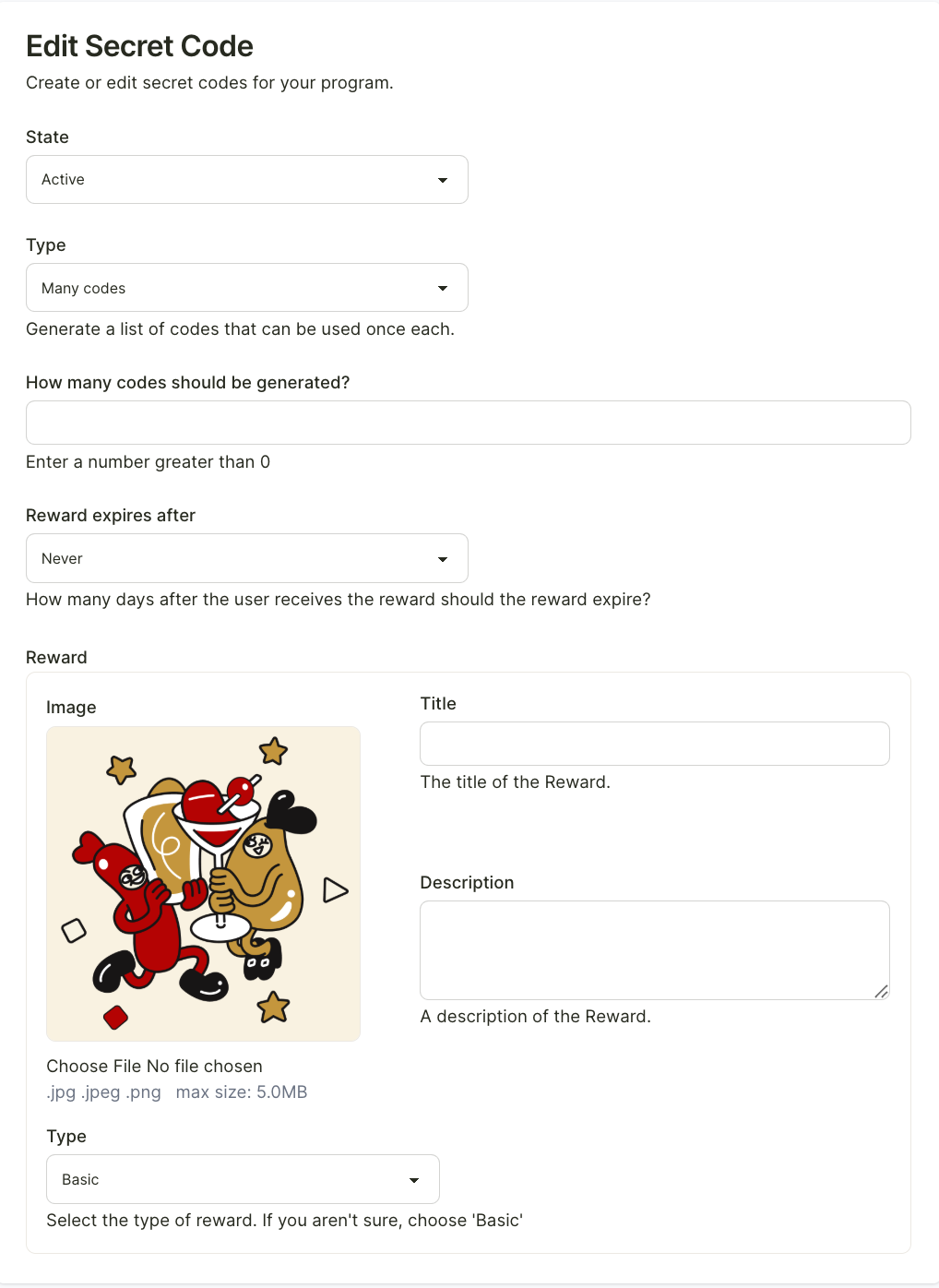
You can fill in the details and configure how the code will be used. You can also specify the number of codes you want to generate. The system will automatically create unique codes based on the quantity you set.
Once all the details are completed, click “Create” at the bottom left.
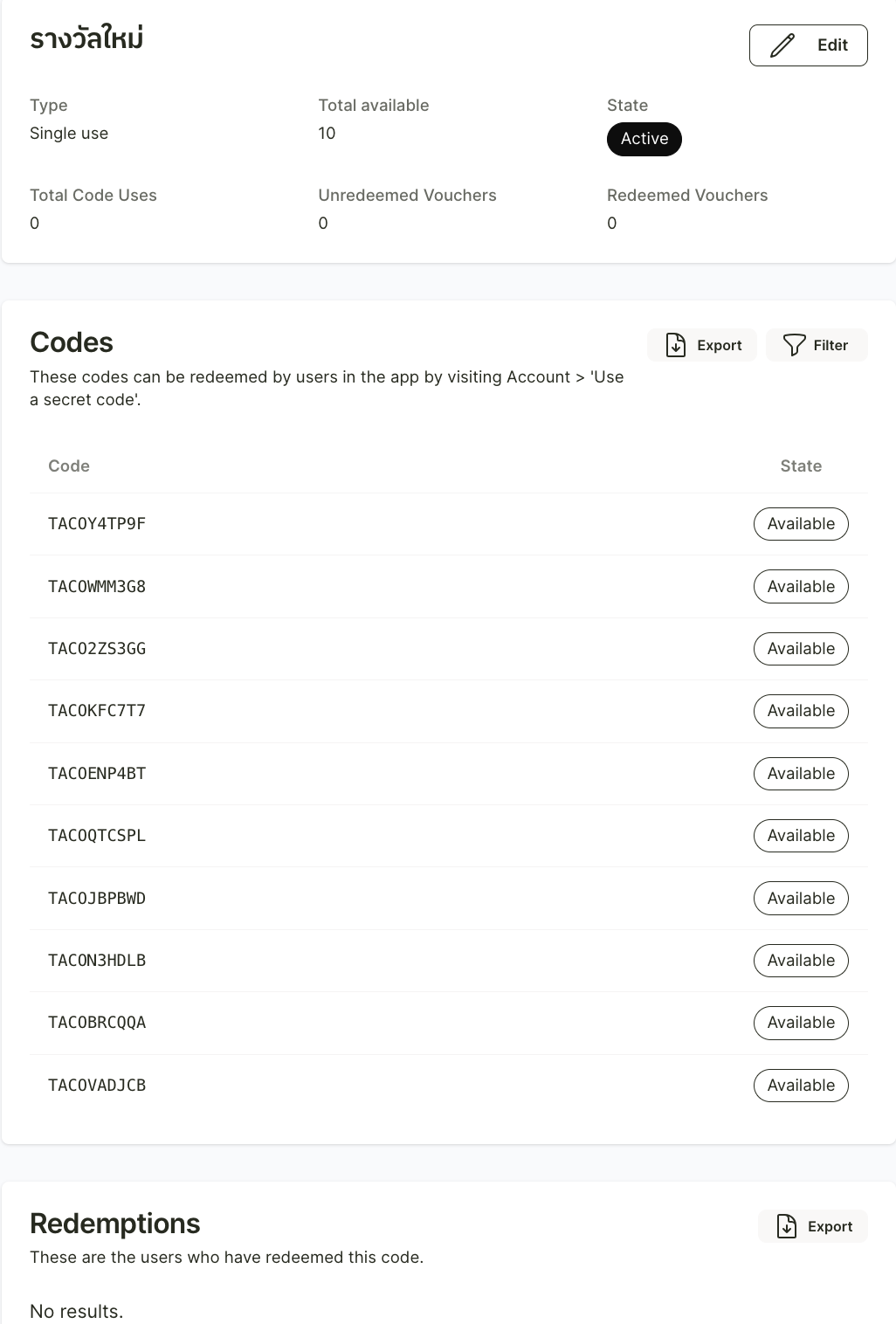
After that, the system will generate the codes, which your shop can copy or export as a CSV file for use.
At the bottom, there will also be a section where you can check how many codes from that set have already been used.