Point multipliers
Boost points during quiet hours to nudge customers to visit when you need them most.
If your shop would like to run a promotion and give customers x points, you can create this campaign in the “Point Multiplier” menu. Then click “+ Add” at the top right.
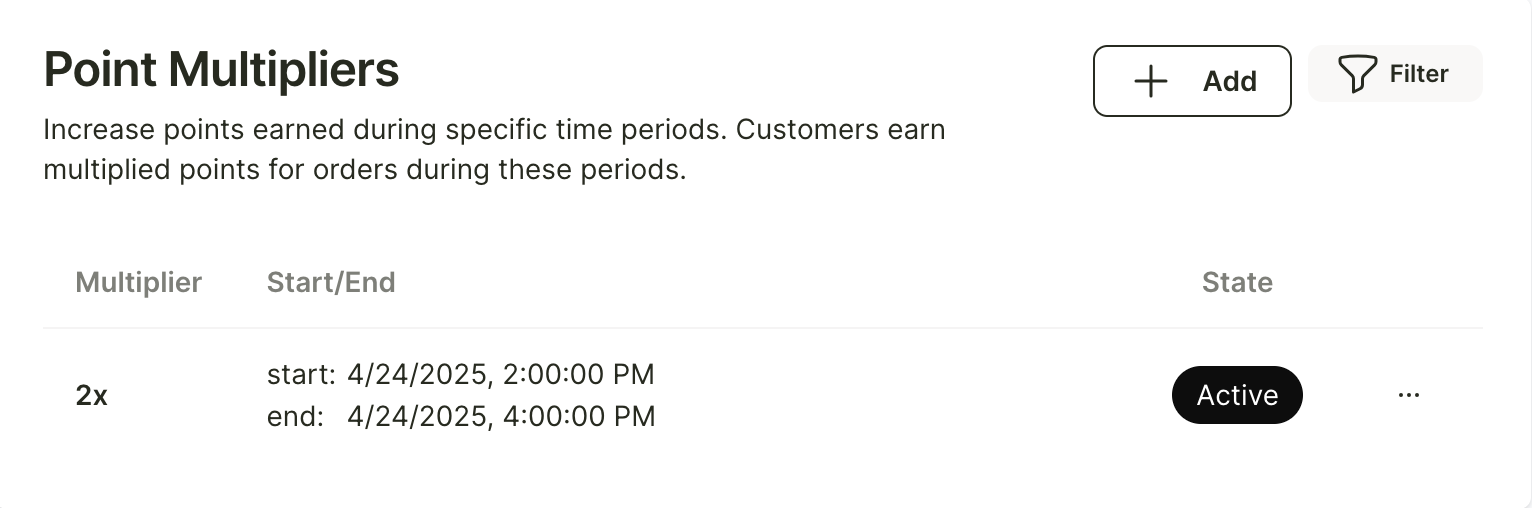
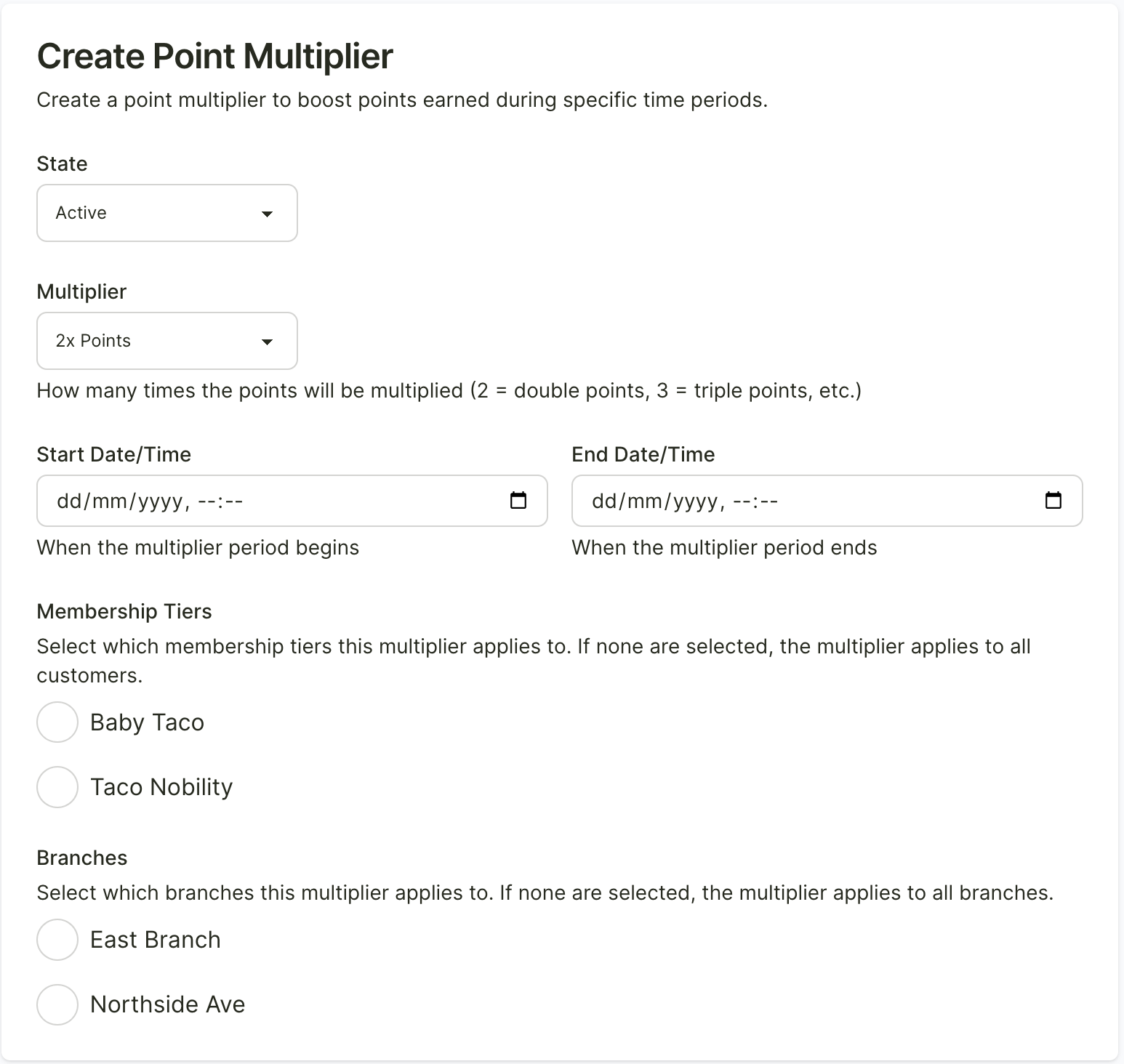
You can set the duration for the point promotion or enable/disable the campaign as needed.
You can also choose which membership tiers the 2x points (or x more) campaign will apply to, as well as which branches the campaign will be available at.
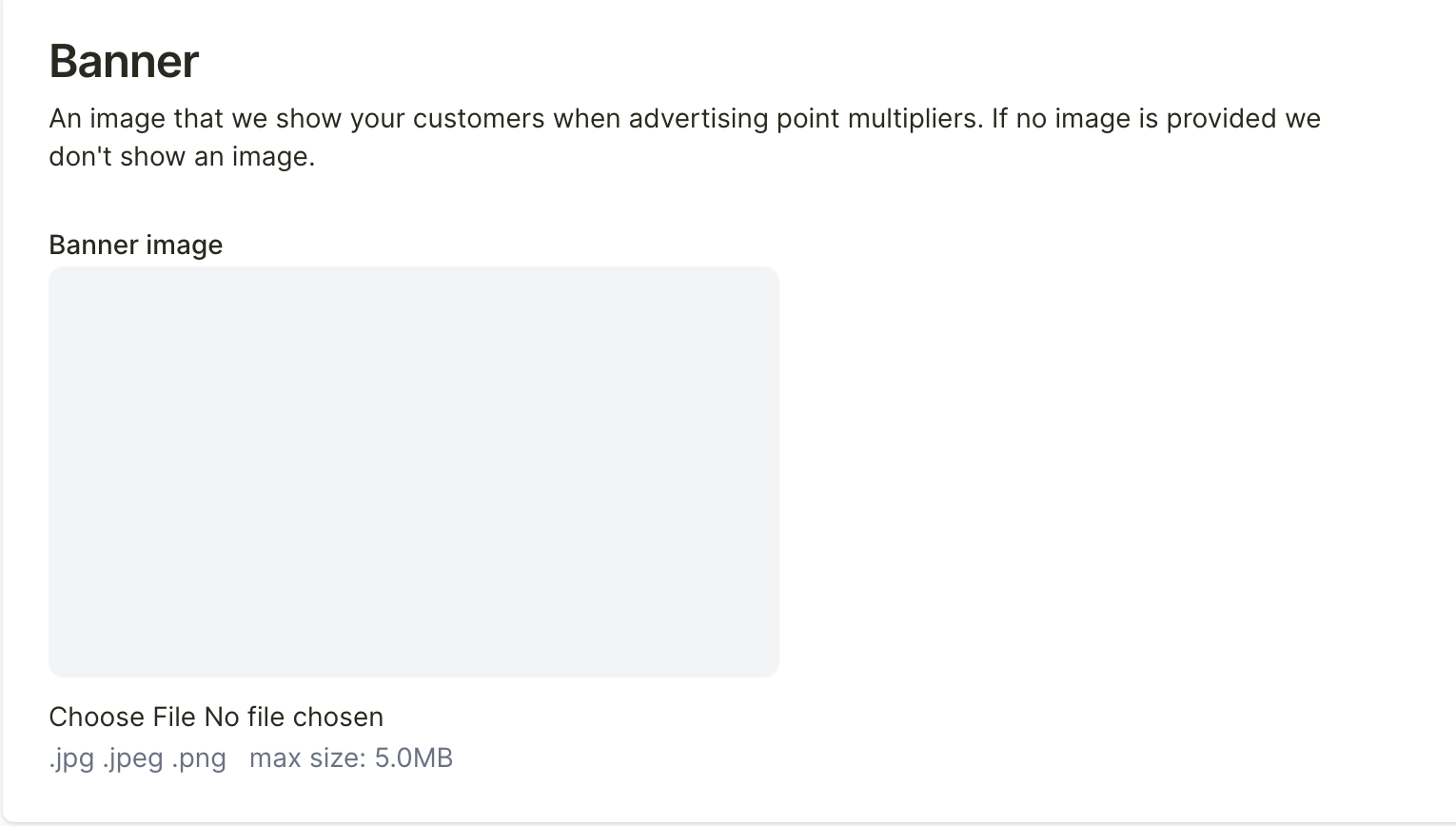
Once the campaign has been created, go back to the “Point Multiplier” menu to upload a banner for the campaign.