
Multiple membership tiers
Create tier levels — like Silver and Gold — so loyal customers unlock better rewards as they spend.
Your shop can create multiple membership tiers. You can create them directly from the “Point Tiers” menu.
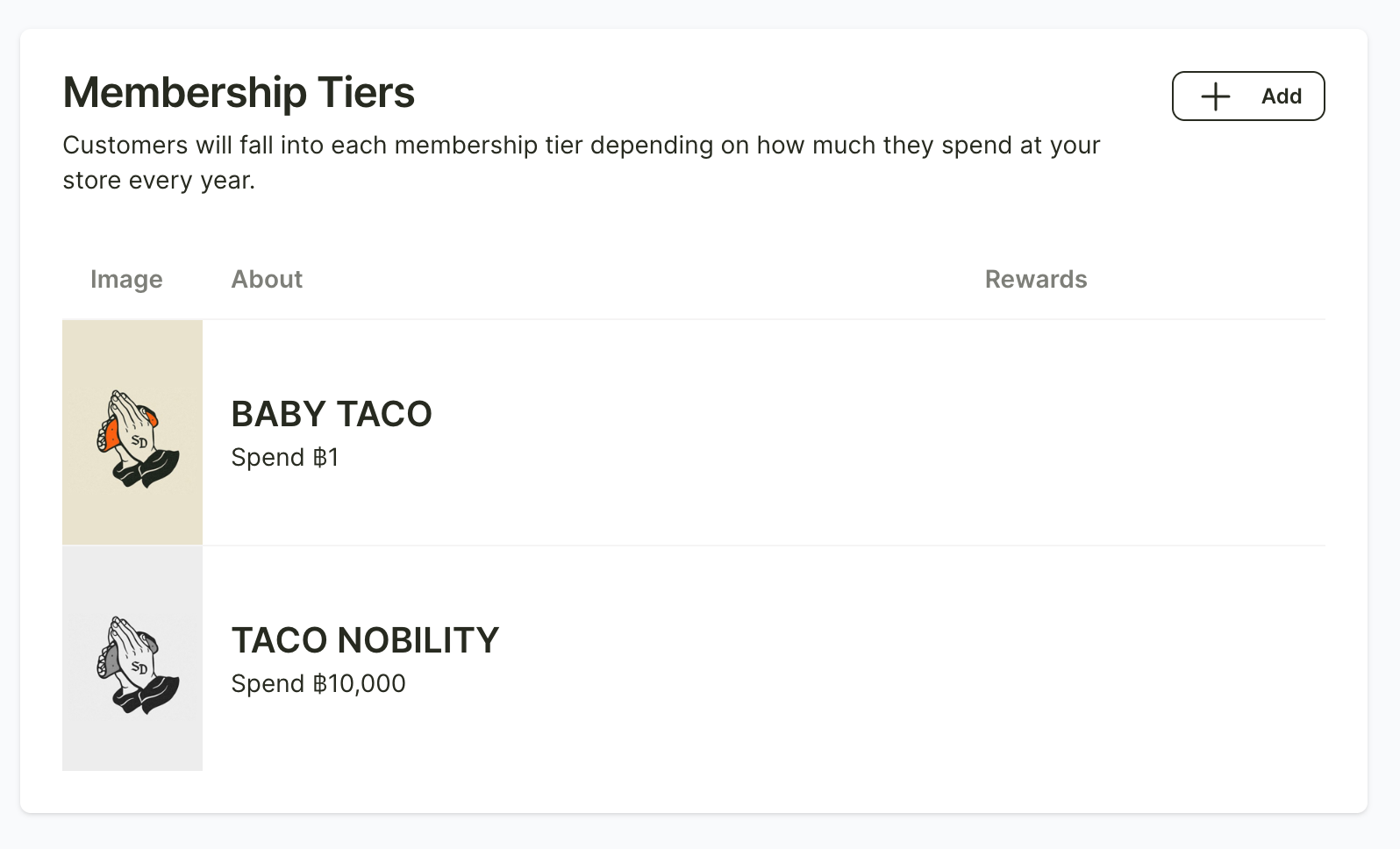
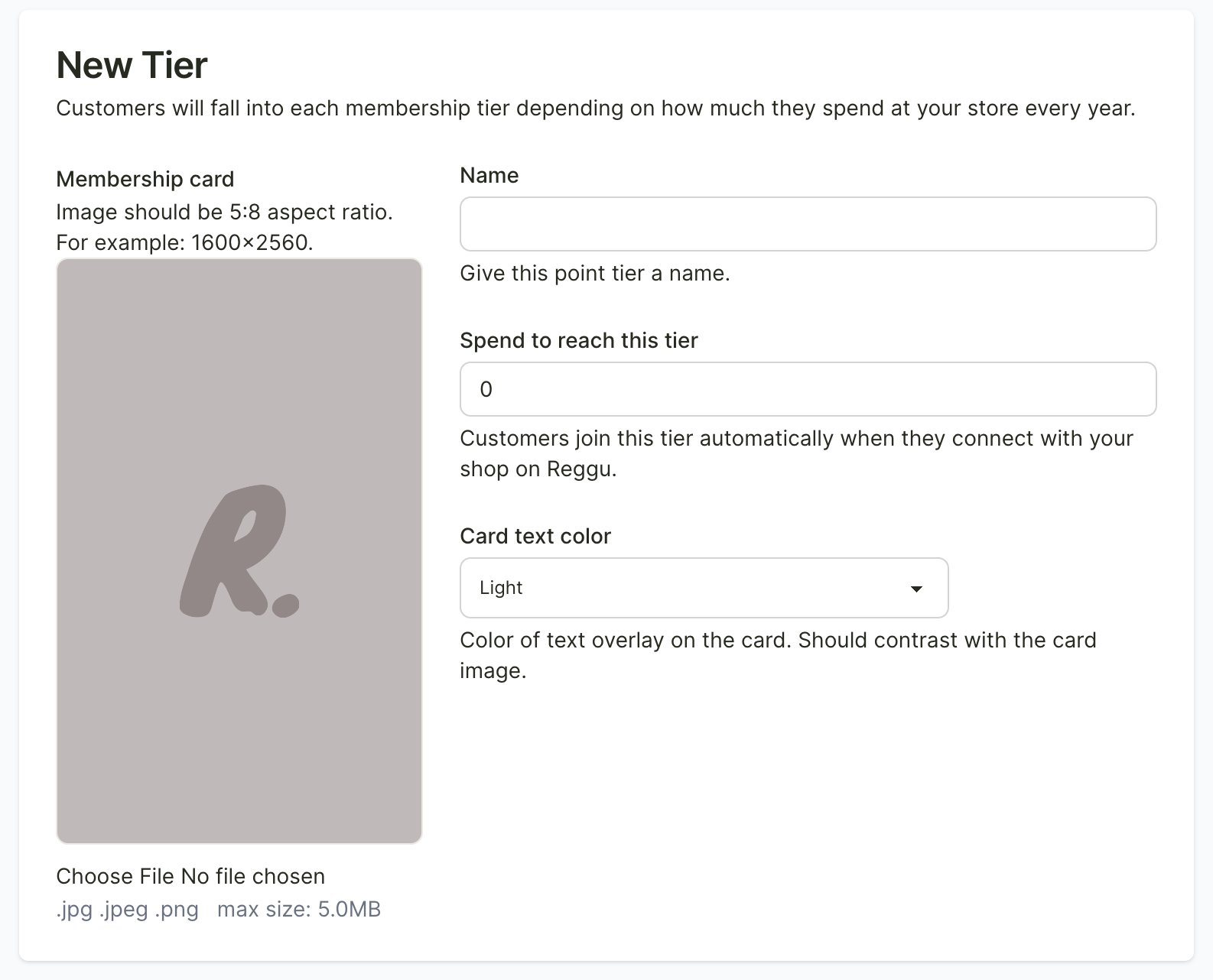
You can add a new tier by clicking the “+ Add” button at the top right. From there, you can upload an image for the membership tier, set the tier name, define the minimum spending required for customers to reach that tier, and choose the text color that will appear on the card.
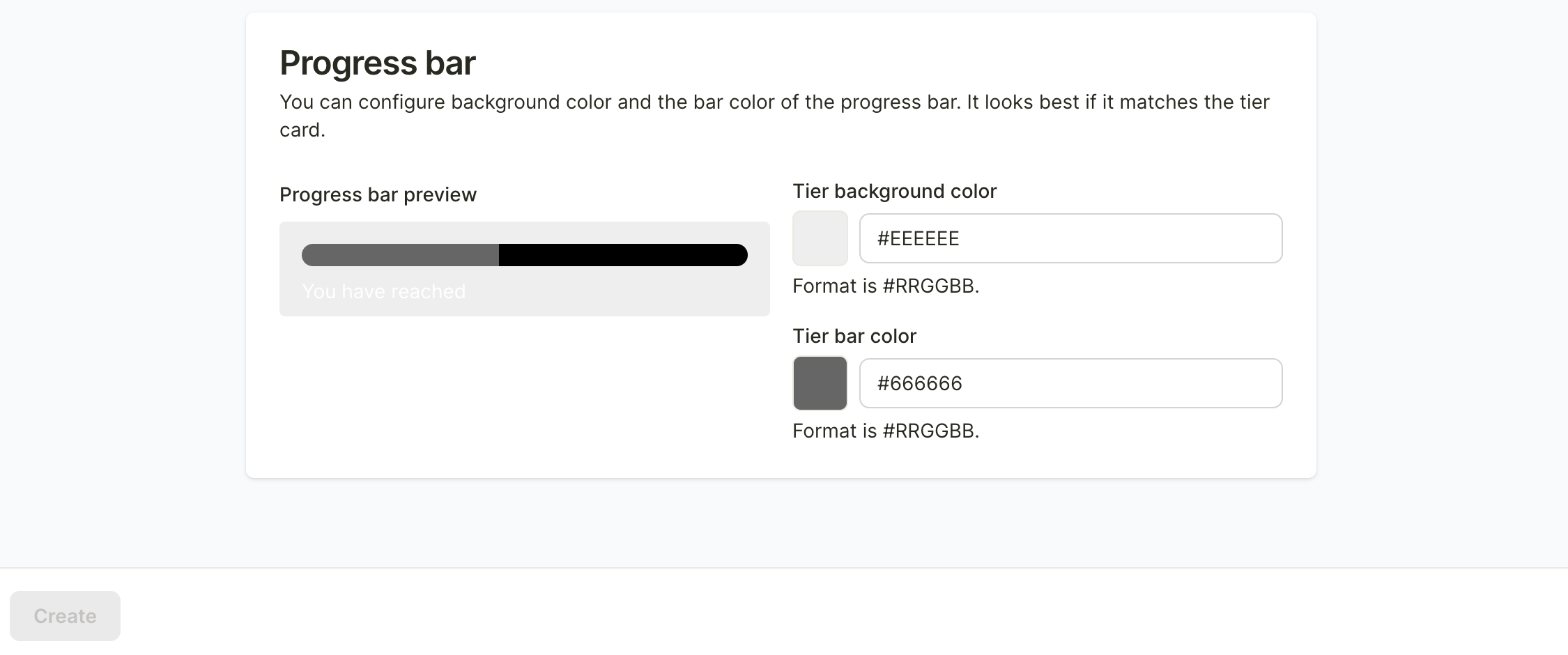
After that, set the background color and the progress bar color that shows the points customers have collected.
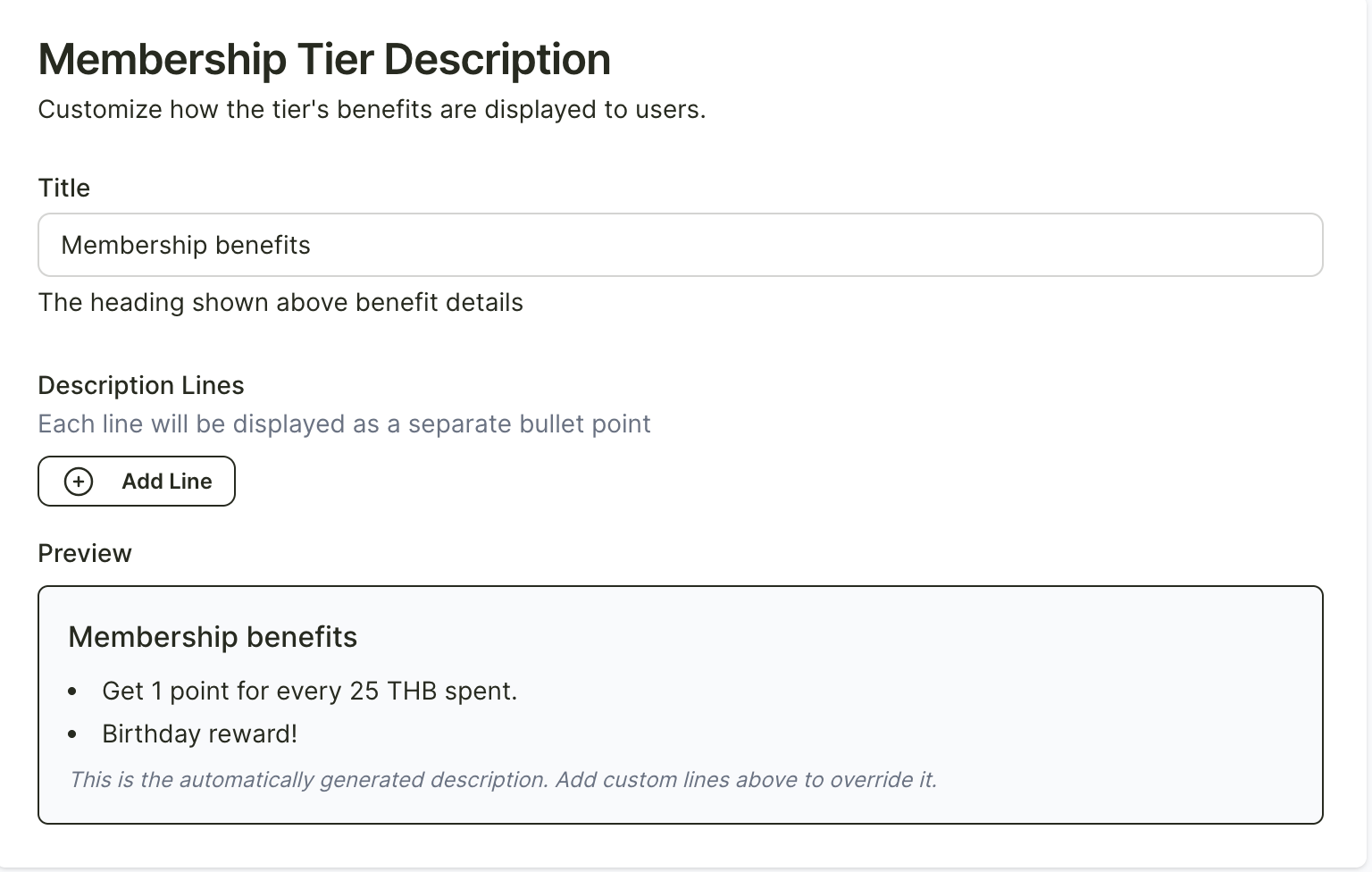
After that, add more details for the membership tier, such as how many points customers earn from their spending (for example, every xx baht spent equals 1 point) or any special rewards that customers in this tier will receive in addition to points.
Once all the details are filled in, click the “Create” button at the bottom left.