Distribute external codes
Once your external codes are uploaded, choose how customers get their hands on them.
After creating codes in the “External Codes” menu, the store can distribute them on various occasions. You can create a code distribution campaign by going to the “Point Tiers” menu, selecting the membership tier you want, and then scrolling down to the rewards section.
There are several types of rewards available:
Points redemption rewards (“Redeemable items”) Welcome rewards for new members Holiday or special occasion rewards Birthday rewards
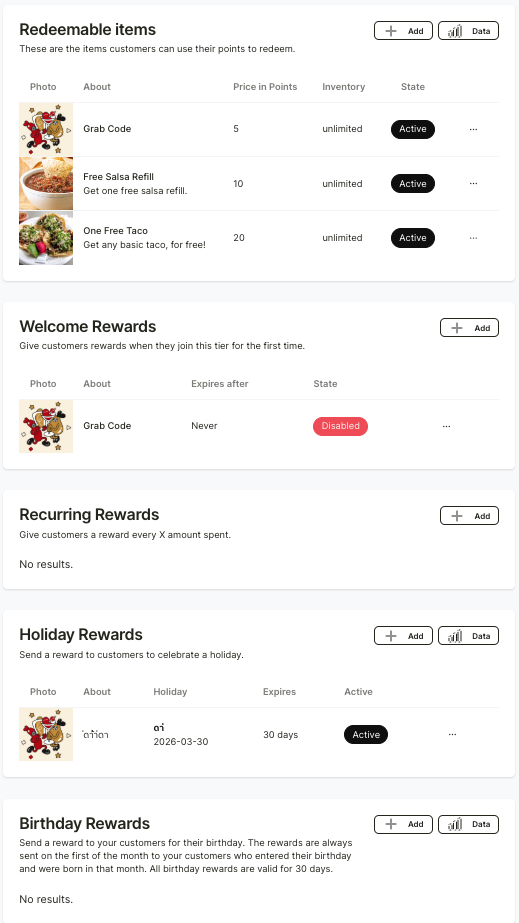
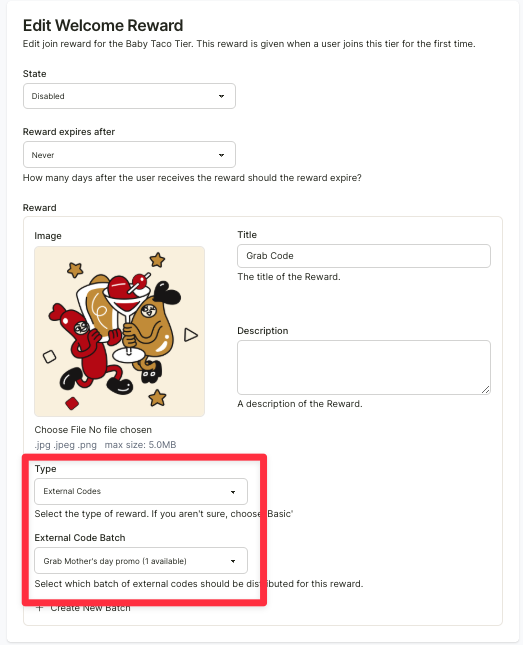
Select the type of reward you want, then click “+ Add” under that reward category. Fill in the details, choose the reward type as “External Code,” select the discount code set you’d like to use, and then click “Create” at the bottom left.