
Teams
Add your staff to the dashboard and merchant app, with the right level of access for each role.
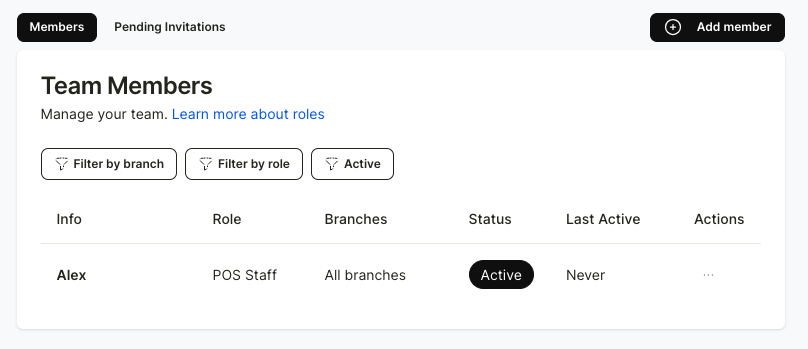
The store can invite team members to help manage the Reggu loyalty dashboard by sending invitations via email. This can be done in the “Team” menu.
Click “+ Add Member” to send an invitation.
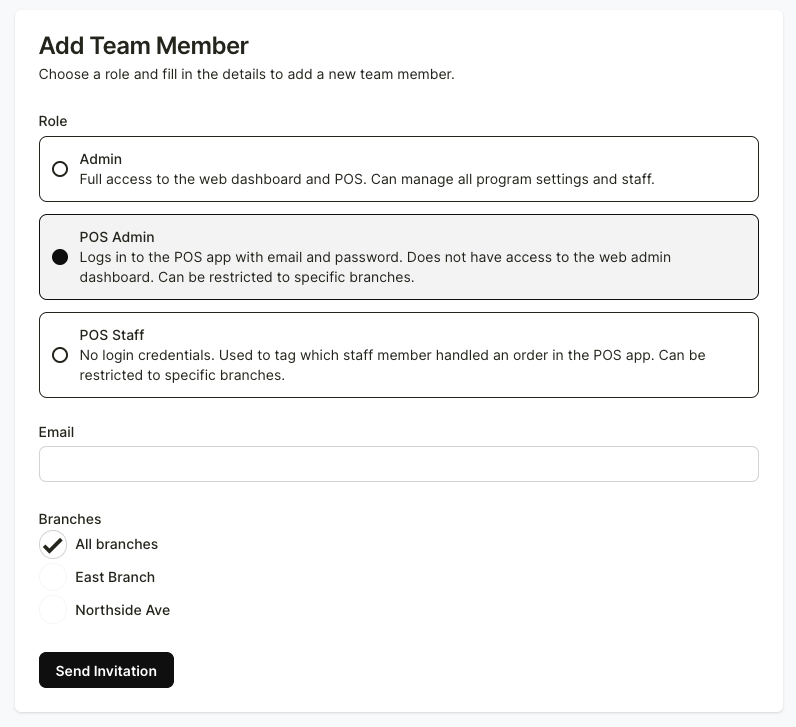
After that, assign roles to each staff member by specifying which pages they can access and which branches they are allowed to manage. Then click “Send Invitation.” The staff member can accept the invite via email and access the dashboard through the link provided.
You can also review past activity to see which staff member (by email) has given points to which customers, and what rewards or points were issued. This can be checked in the “Staff Orders” menu.